
Webinars are a useful way for businesses to reach out to new audiences & interact with them. You can use them to reveal a new product, teach people something, or simply establish yourself as an expert.
If you want to run good webinars that get people interested and buying, lots of people use a platform called WebinarJam.
WebinarJam is made for people like you – Business Owners, Teachers, Marketers, and Coaches who want to do online presentations that look great and help them sell stuff.
And guess what?
You can try WebinarJam for free. WebinarJam offers a 30-day trial for $1, plus you will get a 30% discount with the coupon code.

🎁 WebinarJam Free Trial (30 Days)
Get full access to WebinarJam for 30 days for $1. Try all features risk-free without committing to a paid plan.
Coupon Code: STARTUP30
Use your exclusive coupon code STARTUP30 at checkout to get an extra 30% off when you upgrade to a paid plan.
In this post, I will cover:
- Different trial options are offered by WebinarJam.
- Steps to claim the WebinarJam free trial.
- WebinarJam coupons and how to use them for maximum discount.
WebinarJam Free Trial Details 2026
Trying WebinarJam won’t cost much, and there’s not much risk. Here are the complete details about the trial options:
1. Get WebinarJam 14-Day Trial For $1
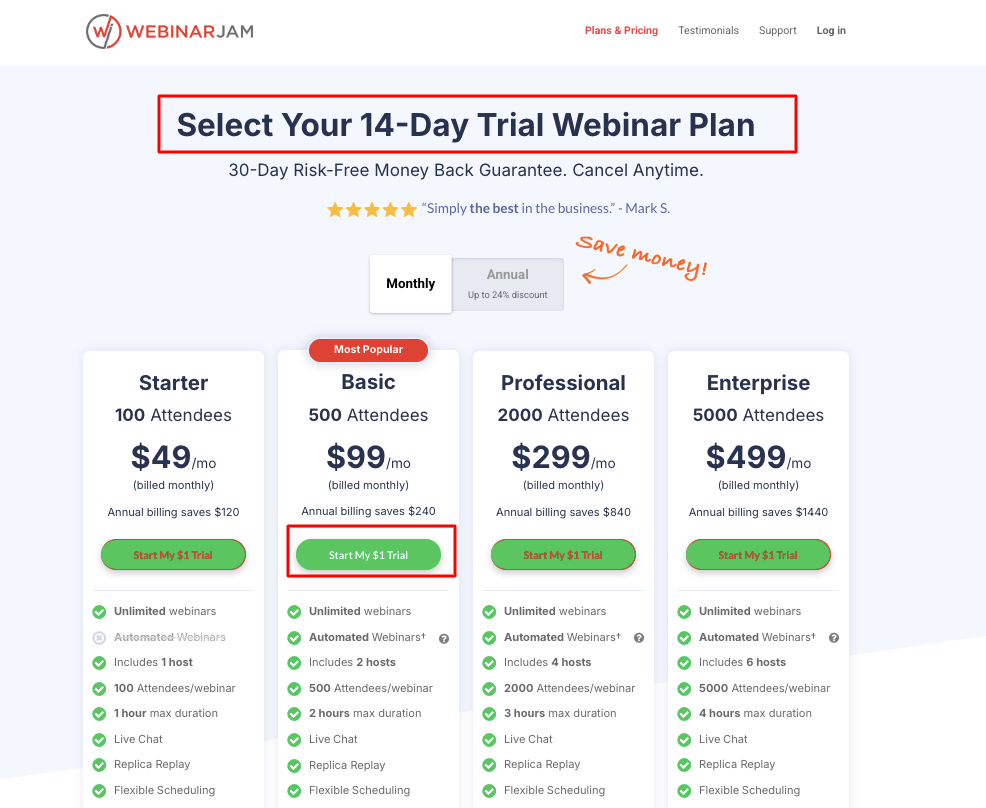
You can usually try WebinarJam for two whole weeks for just $1. During these two weeks, you get to use everything they have, like:
- Doing as many live webinars as you want.
- Tools to help you present.
- Ways to talk to the people watching (like chat and polls).
- Automatic emails to remind people about the webinar.
- Reports and numbers to see how your webinars did.
- Pages you can change to get people to sign up.
2. Get WebinarJam 30-Day Trial For $1
WebinarJam has a special offer where you can try it for 30 days for the same $1.
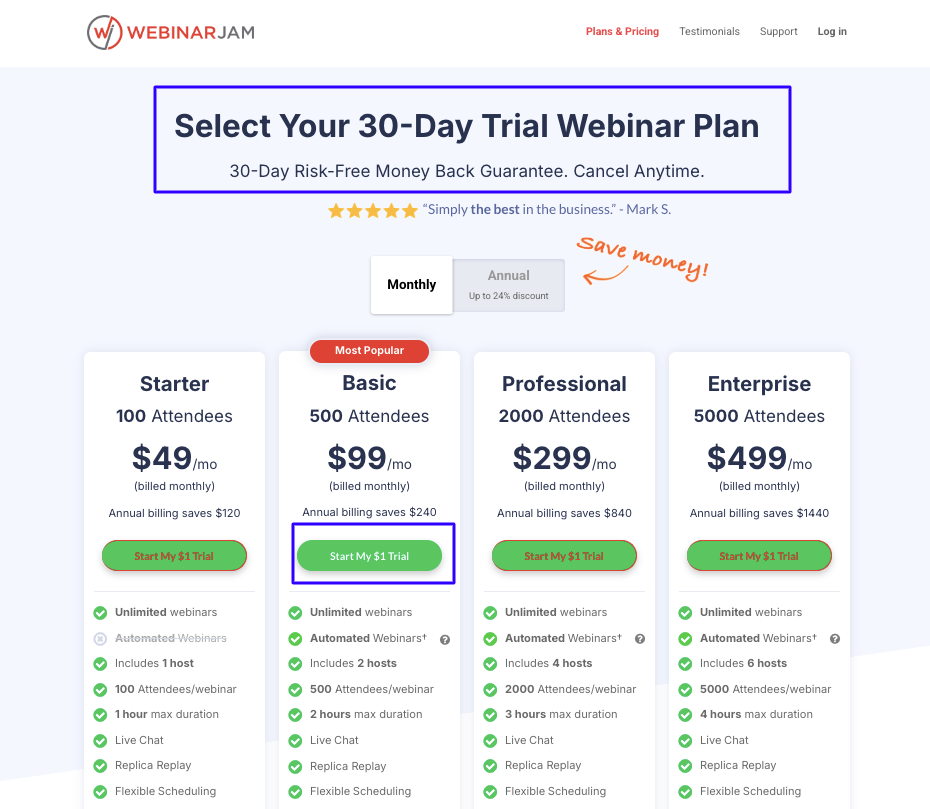
It gives you more time to try the webinar platform and see whether you like it or not. During the 30-day trial, you can run various webinars and analyze what works best for your business.
How To Sign Up For WebinarJam Free Trial
It’s super easy to start:
1. Go to this link: WebinarJam 30-Day Trial
2. Click on “Start My $1 Trial.”
3. Fill in your billing details.
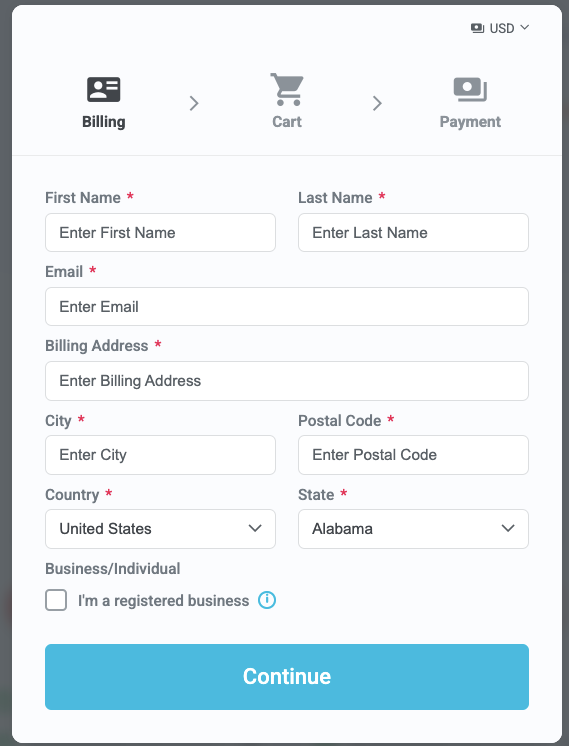
4. Pay $1 with a card (like Visa, Amex, Discover, Mastercard, etc.).
That’s it. You can now go to your account and start planning your first webinar.
Things To Try During Your Trial
Here are some of the best things to check out when you’re trying WebinarJam:
- Drawing on the Screen: You can draw on your slides while you talk.
- Showing Videos: You can play videos you’ve made or ones from YouTube.
- Letting Others Talk: You can let the people watching talk or show their screens.
- Making Things Look Yours: You can change the look of the pages to match your brand.
- Live Chat: You can type messages to everyone or just one person.
- Polls and Questions: You can ask people questions and get their answers right away.
- Question Box: People can ask questions, and you can keep them organized.
- Special Offers: You can show deals during the webinar that people can click on.
- Automatic Emails: It sends emails to remind people about the webinar.
- Custom Sign-Up Pages: You can make your pages for people to register.
- Saving the Webinar: It records your webinar so people can watch it later.
- Checking the Numbers: You can see how many people signed up, how many watched, and if they bought anything.
What Happens After The Trial Ends?
When your trial ends, they will start charging you for the plan you picked when you signed up unless you cancel before then.
Here is what happens when your trial ends:
- It keeps working without stopping.
- If you pay and then don’t like it, you can get your money back within 30 days.
- You might be able to use a discount code to save money.
Note: You don’t get the $1 back, but if you start paying, you can get a refund if you are not happy with their service.
How Much Does WebinarJam Cost After The Trial?
All of the WebinarJam pricing plans are based on an annual subscription, which saves you money compared to paying monthly.
Here is a quick look:
| Plan | Price Each Month (If You Pay Yearly) | Good For |
|---|---|---|
| 1. Starter | $39 | People are just starting with webinars. |
| 2. Basic | $79 | Doing webinars with chat and polls. |
| 3. Pro | $229 | Bigger groups and more people presenting. |
| 4. Enterprise | $379 | Really big groups (up to 5,000 people). |
Note: Paying for the whole year saves you money.
What Is WebinarJam?
WebinarJam is a SaaS platform designed specifically for hosting webinars that drive sales. Unlike standard video call tools like Zoom or Teams, WebinarJam includes built-in marketing features to help you turn viewers into paying customers.
Things WebinarJam Can Do:
- Do live webinars (right now) and automated webinars (that play later).
- Have tons of people watch without any problems.
- Built-in tools to help you market and talk to your audience.
- Works seamlessly with other tools you might use for selling and sending emails.
- It delivers high-quality video and clear audio.
- It’s easy to use, even if you’re just one person or a small team.
How WebinarJam Helps Your Business Grow?
- Get Your Name Out There: Make your sign-up pages and webinar rooms look like your brand. Use saved webinars so more people can see them later. Show people you know your stuff.
- Talk to People & Get Them Interested: Use polls, chat, and questions to connect with the people watching. Let some of them talk on screen. Keep in touch with them after the webinar.
- Sell More Stuff: Showcase special offers during the webinar that only last for a short time. Use timers to make people want to buy now. See how well your webinars are doing, so you can make them even better.
Final Thoughts
WebinarJam is not just a webinar platform; it is a complete marketing toolkit designed to help you grow your business.
With powerful features, user-friendly design, and built-in promotional tools, it is an ideal solution for anyone looking to boost engagement and drive results through webinars.
Still not sure?
Here’s why it’s a good idea to try:
- You only pay $1 to try it for two weeks or even 30 days.
- If you start paying and don’t like it, you can get your money back within 30 days.
- Just contact their support team with your order info.
It’s a cheap way to try a good webinar tool.
